


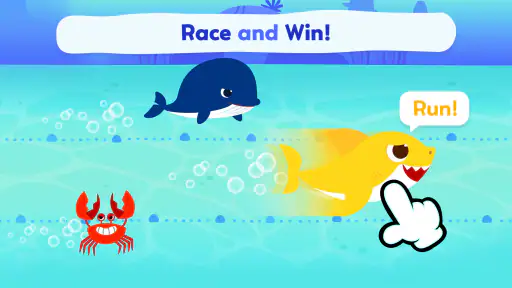
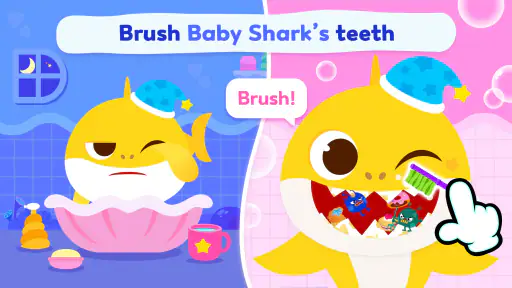
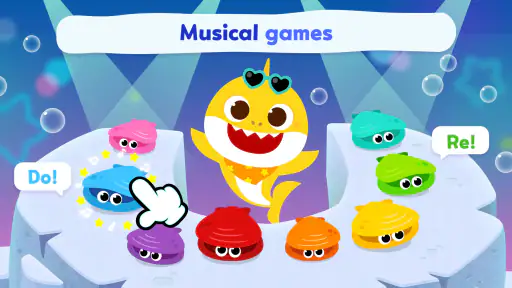
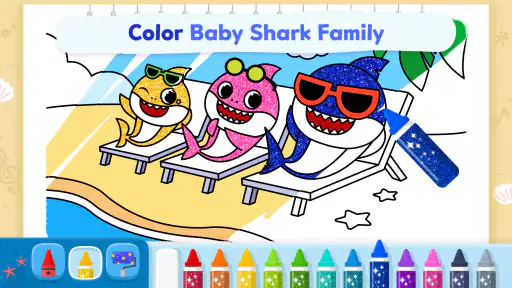
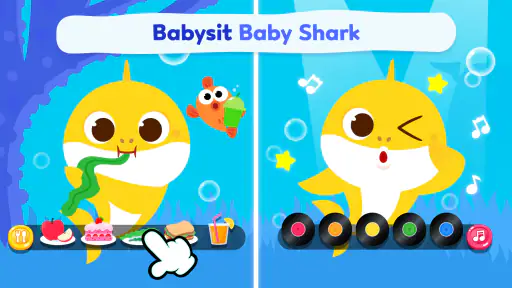
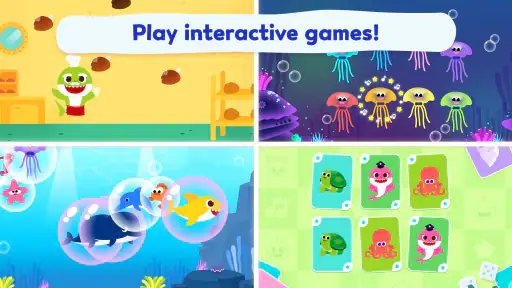
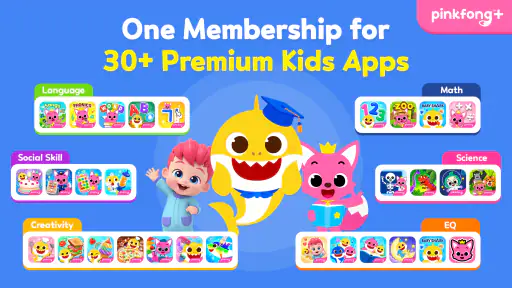

When I opened Pinkfong Baby Shark: Kid Games, I immediately understood its appeal: it puts the familiar Baby Shark world into short animated videos and simple activities aimed at young children. This is an education app for preschool-age entertainment and learning, developed by The Pinkfong Company, and it is available free of charge with optional purchases. I would describe it as a colorful, low-pressure companion for moments when a child wants to sing, watch, tap, and repeat rather than sit through a formal lesson.
My first impression was positive but measured. The app is easy to approach because its characters and music do most of the welcoming. A child does not need to understand complicated menus before finding something recognizable. At the same time, the Baby Shark theme is so strong that parents should decide whether repetition is helpful in their home or likely to become tiring. I can see this working well for a short morning activity, a quiet transition before dinner, or a few minutes of guided play while an adult is nearby.
How the app earns trust with families
The app has been available since August 31, 2016, and its audience is clearly broad: it has passed 50 million installs and carries an Everyone age rating. Those figures suggest that it is not a niche experiment, but popularity alone is not a reason to hand a child unrestricted access. I prefer to judge a children’s app by what the adult can see, control, and understand before allowing regular use.
In that respect, the most important starting point is the difference between the free download and the optional spending around it. The app can be installed without paying, while in-app purchases range from $4.99 to $107.88 per item. That is a wide range, so I would treat purchase controls on the device as essential rather than optional. I would also explore the app myself first, so I knew which activities were immediately usable and which choices might lead toward paid content.
The current version is 53.14 and the minimum operating-system requirement is Android 7.1. That makes it accessible on many older Android devices, which is useful if a family keeps an older phone or tablet for children. Still, an older device can have its own limitations, including slower loading or less comfortable storage space. I would install it on the device intended for the child, not assume that an app that runs will necessarily feel smooth on every older handset.
The developer, The Pinkfong Company, is easy to identify, which gives parents a clear starting point when checking the official app page and device settings. I would use that identity to confirm that I had selected the intended app rather than an unrelated Baby Shark-themed download. The short store description is simply “Pinkfong Baby Shark,” while the fuller summary presents animated videos and games connected with Bebefinn and Baby Shark. That combination tells me the app is designed around recognizable characters, not a traditional course with a fixed sequence of school subjects.
The average rating is 3.5 from around 45 thousand ratings, alongside roughly 1.4 thousand written reviews. I read that as a reason to keep expectations realistic. The app has a substantial audience, but the rating does not suggest universal satisfaction. For me, that makes the trial period especially important: a child may love the songs while a parent dislikes the repetition, purchase flow, or balance between passive viewing and active play.
What I would check before handing it over
I would begin by opening the app without the child beside me. That lets me see how the home screen is organized, whether the available activities are obvious, and where any purchase prompts appear. With children’s software, this small inspection can prevent a lot of frustration. A young child may tap a bright button without understanding that it changes the available content or begins a buying process.
I would then test the app with sound at a comfortable level and watch how quickly a child can move from one activity to another. Baby Shark content is built around music and repetition, so audio is central rather than decorative. If the child uses headphones, I would choose a child-safe volume limit on the device and check that an adult can interrupt playback easily. I would not treat the app as a substitute for supervision simply because the age rating is Everyone.
Another useful check is to see how the app behaves when the internet connection is unavailable. I would not promise a child that every video or game will work offline unless I had tested the exact activities myself. This matters for car journeys, waiting rooms, and flights, where a parent may rely on a device after switching off mobile data. Testing at home first is more practical than discovering a limitation during a difficult moment away from home.
Data-sensitive moments deserve an adult’s attention
I am cautious with any children’s app because the child is not the person making the informed decision about accounts, purchases, or device access. I would review the permissions and privacy choices shown by the operating system and within the app, using only what is visibly presented there. I would not assume that a colorful interface explains data practices clearly enough for a child. The adult should be the one making those decisions.
I would also avoid creating an account unless the app clearly requires one for a function I genuinely want. If an account is offered for optional convenience, I would consider whether that convenience is worth adding another layer of information management. A child-focused activity app does not automatically need a family profile, and I prefer to keep the setup as simple as the available choices allow.
Notifications are another small but meaningful point of control. If the app requests permission to send them, I would decide whether reminders are useful or whether they could encourage more screen time. In my home, I would probably leave nonessential notifications off. The app should fit the family’s routine, not create a new demand for attention.
Purchase protection is the clearest practical safeguard. Since the app is free to download but includes paid items, I would use the device’s parental authentication settings and never leave a payment method exposed to a child’s taps. I would also explain to older children that a locked purchase screen is not a puzzle to solve. That conversation is worthwhile because it turns a technical control into a simple household rule.
I would take the same approach to advertising or promotional areas: inspect what is visible, notice whether a child can tell the difference between an activity and a commercial prompt, and adjust access accordingly. I am not going to assume how every screen behaves without checking it on the installed version. The useful principle is straightforward: if a choice involves money, an account, or a new permission, the adult should make it.
Where the learning value is strongest
The educational value here comes mainly from repetition, recognition, listening, and simple interaction. A child can hear familiar words, follow recurring songs, and practise responding to visual prompts without the pressure of a score-heavy lesson. That makes the app approachable for children who resist worksheets or become discouraged when an activity feels like school.
I would use it as a short shared activity rather than an electronic babysitter. For example, after breakfast, I might let a child choose one song or game, then ask them to identify a character, repeat a word, or describe what happened on screen. The adult conversation is what turns passive viewing into a richer learning moment. Without that follow-up, the app may still entertain, but its educational effect is likely to be narrower.
One practical technique is to choose a stopping point before starting. Instead of saying “you can play until I tell you to stop,” I would say that we are watching one video or completing one activity, then moving on. This works particularly well with highly repetitive character content because the child knows what to expect. It also prevents the app from becoming the default answer whenever there is a few minutes of boredom.
Another useful workflow is to pair the screen with an offline action. After a song about movement, I might invite the child to copy a gesture without the device. After an animated activity, I might ask them to draw a character or sort household objects by color. These extensions cost nothing and help the app support interaction rather than replace it.
The Bebefinn and Baby Shark combination may suit families who want more than one recognizable character world in the same place. However, parents seeking a carefully leveled reading program, detailed mathematics progression, or teacher-style assessment should look elsewhere. This is not how I would measure school readiness. I see it as an introductory play-and-learn environment with educational touches, not a complete curriculum.
How it compares with ordinary alternatives
Compared with a standard children’s video service, this app has the advantage of placing songs alongside games and taps. That can give a child a small step from watching toward participating. The trade-off is that the experience remains closely tied to one entertainment brand. A general video platform may offer broader subject variety, but it can also require more careful adult curation and may expose a child to a less predictable range of content.
Compared with a dedicated phonics or early-math app, Pinkfong Baby Shark: Kid Games feels more relaxed and character-led. I would choose it when the goal is to make a child comfortable with listening, repetition, and simple interaction. I would choose a structured learning app when I wanted a clear skill path, progress tracking, or activities designed around a specific educational gap.
Compared with books, the app supplies movement, music, and animation that can hold the attention of a child who is not ready to listen to a full story. Books remain better for slowing down, asking open questions, and building a shared reading habit. I would use this app as one tool in a rotation, not as a replacement for books, conversation, outdoor play, or hands-on toys.
Its free entry point is helpful for testing the fit before spending anything. Yet the presence of higher-priced individual purchases means I would not describe the whole experience as cost-free. A family that wants a completely predictable one-time purchase may prefer a paid app with no optional buying path, if that alternative’s controls and pricing better match its needs.
Small frictions that affect everyday use
The biggest likely friction is repetition. Repetition can help young children remember sounds and routines, but adults may find the same musical hooks exhausting after repeated sessions. I would manage that by setting a daily limit and alternating this app with quieter activities. If a child becomes fixated on one song, I would use that enthusiasm as a bridge to an offline game rather than simply allowing an endless loop.
The second issue is the gap between a child-friendly interface and an adult-friendly decision process. Bright buttons are excellent for discovery, but they can make it harder for a child to understand which choices are free, which require a purchase, and which change the experience. That is why my recommended setup is adult-led: inspect first, secure purchases, set notification choices, and only then introduce the app.
I also would not assume that every child will find the games equally engaging. Some children enjoy tapping and repetition, while others want puzzles with increasing challenge or stories with more variety. If a child loses interest quickly, that does not necessarily mean the app is poor; it may simply be the wrong level of complexity or the wrong kind of play for that child.
For travel, I would prepare a backup. Even if the app works well at home, a parent should have a book, downloaded music, or a non-screen activity ready. This is especially important because a child may expect the same content to appear instantly in every setting. Testing the device, sound, battery, and connection before leaving is a simple way to avoid relying on one app too heavily.
Who I would recommend it to
I would recommend it to parents of young children who already respond well to Baby Shark or Bebefinn and want a familiar way to combine songs with light interactive play. It is also a reasonable first experiment for a family that wants a free download before deciding whether optional content is worth considering. The Everyone rating makes the intended audience broad, but I would still match the activities to the child’s age, attention span, and ability to follow device rules.
I would be more cautious for families looking for measurable academic progress. If your priority is reading instruction, number practice, or a carefully sequenced preschool syllabus, this app should sit alongside a more focused educational tool rather than carry that responsibility alone. I would also skip it if your household is trying to avoid branded character media or if repeated songs reliably create conflict.
My preferred routine would be short and deliberate: an adult checks the app, secures purchases, selects one activity, stays close enough to hear what is playing, and follows it with a question or offline action. That routine makes the app more useful while keeping the child’s choices understandable. It also gives parents a clear answer when the child asks for “just one more” activity.
My cautious verdict
After considering how it fits into real family routines, I see Pinkfong Baby Shark: Kid Games as a friendly supplementary app rather than a complete learning solution. Its strongest qualities are immediate familiarity, musical repetition, animated presentation, and a low barrier to starting. The free download makes it easy to test, while the large existing audience shows that it has broad recognition.
My caution centers on adult management. Optional purchases, notifications, permissions, account choices, and the possibility of extended screen time all deserve a parent’s attention. I would not install it and hand over the device without checking those areas first. The safest experience is one where the adult controls money and access, while the child controls only the simple activity choices that have already been approved.
The app’s 3.5 average rating is another reason I would approach it as a personal fit rather than an automatic recommendation. Some families will value the recognizable songs and easy interaction; others will want less repetition or more serious educational structure. I would try the free version during a calm moment, observe how the child responds, and decide based on that experience rather than the character’s popularity.
My final recommendation is to treat it as a short, supervised play-and-learn break. If your child enjoys Baby Shark, the combination of videos and games can make practice feel inviting. If you need deep academic instruction, strict content simplicity, or a fully predictable payment model, another category of app will probably serve you better. Used with clear limits and visible adult choices, this one can earn a modest place in a balanced routine.


